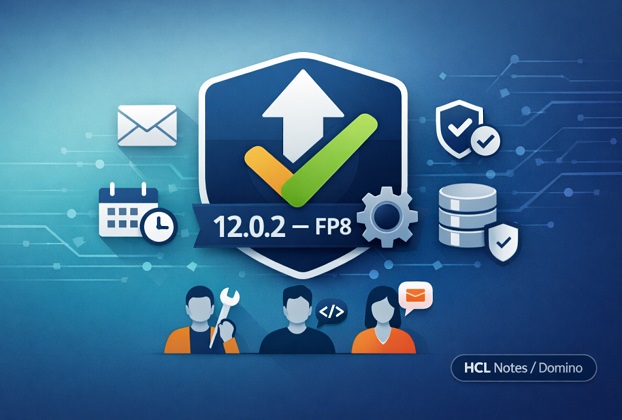
If you’re running HCL Notes/Domino on the 12.0.2 stream, there’s a fix pack sitting in the HCLSoftware download portal right now that’s worth ten minutes of your attention. HCL released Fix Pack 8 (FP8) for 12.0.2 on May 7, 2026, with language kits following a day later, and it’s not a minor cleanup release. It bundles roughly 40 fixes across administration, mail, security, and development, plus an updated JVM — and it includes one change that catches a lot of admins off guard if they don’t read the fine print first.
This guide walks through what’s actually in Fix Pack 8, who each fix matters to, the one thing you need to check before you install it, and a straightforward way to decide whether now is the right time to upgrade.
What Fix Pack 8 Actually Is
A quick orientation before the details, because “Fix Pack” gets used loosely and it’s worth being precise:
- FP8 is cumulative — installing it brings in everything from Fix Pack 1 through Fix Pack 7 as well, so you don’t need to chain through every prior fix pack first.
- It requires an existing 12.0.2 installation as a prerequisite. FP8 is applied on top of 12.0.2, not installed standalone.
- It’s language independent, meaning it installs cleanly on any language version of 12.0.2.x.
- HCL’s selection criteria for fix packs stays consistent release to release: low-risk, high-impact fixes affecting the broadest set of customers, plus security patches and JVM updates. Fix packs generally don’t introduce new features or template changes — which is exactly why the one template change in FP8 stands out.
- The Windows JVM was updated to Semeru jdk8u482-b08, with timezone data updated to the 2025c release.
So far this is a routine maintenance release. What makes it worth writing about is what the roughly 40 fixes actually touch, and how few sources have broken that down by who needs to care about which fix.
The Fixes That Matter to Administrators
If you’re the one managing servers, directories, and ACLs day to day, several fixes in FP8 are worth flagging on your change log.
The most significant is a security regression fix: single sign-on group authentication through SAML with LDAP, Azure, or Entra ID had stopped working correctly — a bug that was introduced in 12.0.2 itself, not something inherited from an older release. If your organization uses SAML-based SSO with directory group authentication, this alone is a strong reason to move to FP8 rather than sit on an earlier fix pack.
A second directory-related fix addresses an issue where importing groups via LDAP into an external tool was automatically appending the domain name to the CN, which could throw off any downstream tooling expecting a clean common name. There’s also a fix for unwanted AdminP rename requests being triggered through Directory Sync whenever the Active Directory name attribute changed — something that could quietly generate a stream of unnecessary AdminP requests if you sync frequently.
On the replication and database side, FP8 resolves a problem where the Streaming Replicator was leaving orphaned RRV objects behind, which over time caused replicas to balloon in size for no visible reason — a good one to know about if you’ve been chasing unexplained disk growth on replica servers. There’s also a fix for a potential database corruption scenario involving large data volumes with a large summary in use, and a crash fix for database cache maintenance (the “PANIC; Invalid ptr passed to free” error, if you’ve seen that in your server console). A transaction logging deadlock tied to nameslist checking during PA access is fixed as well, along with a long-held lock issue that could occur on a hub server whenever replication was triggered from a spoke or vessel server.
A handful of smaller but genuinely useful admin-facing fixes round things out: AdminP can now rename a nested group whose name contains special characters (it previously failed), NAMELookup no longer throws a false timeout that was generating unnecessary non-delivery reports through the router, the Domino Backup process no longer risks deleting dominobackup.nsf if it can’t be opened, HTTP access log file size limits now apply correctly on the day after they’re set (not just the day they’re configured), and Domino now properly receives shutdown notifications when Windows itself is shutting down or restarting — useful if you’ve noticed servers not shutting down cleanly during patch-and-reboot cycles.
The Fixes That Matter to Developers
If you write LotusScript, XPages, or work in Designer regularly, FP8 addresses a cluster of fixes that are easy to miss in a generic release announcement but genuinely relevant if you’ve hit any of them.
On the LotusScript side: a character-encoding bug that corrupted data sent to the server when a LotusScript agent acting as a web service received a posted JSON file has been fixed, along with a related issue where data inside REQUEST_CONTEXT was being lost during a URL-encoded base64 file transfer. There’s also a compile-time fix for LotusScript code that calls into a custom VB application, which was previously failing specifically on 32-bit Notes clients, and a companion fix for the reverse situation — an agent compiled on a 64-bit Designer client that then failed when run on a 32-bit Notes client. If you work with the Nomad client, a LotusScript issue involving array assignment inside a custom type has also been resolved.
Designer itself gets a fix for an error that occurred when opening Java agents and JavaScript libraries on 12.0.2 and later versions — a frustrating one if you’ve had to work around it by editing those objects in an older Designer client.
XPages developers get three fixes worth knowing about: the file upload control now correctly allows multiple files to be selected and uploaded in one action (previously it didn’t), a CSS regression that was silently injecting .row {display: inherit;} into the compiled stylesheet — and breaking page layout in the process — has been corrected, and file attachment names on XPages no longer get forced to lowercase when displayed.
There’s also a smaller REST API fix correcting incorrect version information that the API was returning, which matters if you have any tooling that checks the API version programmatically before making calls.
The Fixes That Matter to End Users
The bulk of the remaining fixes land in iNotes and Verse, which makes sense — that’s where most day-to-day user complaints originate. FP8 corrects several mail-rendering issues: inline images inside MIME messages sent from outside Domino were showing up broken, images embedded in CID format weren’t displaying correctly, and messages containing x-amp-html content weren’t rendering as intended. There’s also a fix for Verse returning a generic, unhelpful error when a mail database exceeded a size limit, instead of a message that actually explains what happened.
A few more targeted fixes: the sent-copy of a self-addressed email was going missing from the Sent view when it was sent from a replica server in a cluster, saving a draft in Verse with the send-later feature could throw an error if a particular field was left empty, repeating meeting invites could show duplicate attachments after an update replaced an entry, and an iCalendar invite from an external source could show its attachment as a generic attxxxxx.dat filename instead of the real one. Calendar print preview also had a display bug where Russian-language characters wouldn’t render correctly when the Verse/iNotes language setting differed from the browser’s language.
On the client side, there’s a fix for the EnableBeginningOfMessage=0 notes.ini setting, which wasn’t actually disabling the Show > Beginning of Message option as intended. Mac users get a genuinely welcome fix for native memory usage that was growing over time during normal client use. There’s also a crash fix in the editor that could occur when previewing or opening attachments above a certain size, and two install-related fixes: one for a Notes client install that failed at the final stage with an OS.DLL error, and another for a client that wouldn’t launch when opened via a mailto URL containing URL-encoded Spanish characters.
The One Thing to Check Before You Install: Forms9.nsf
Here’s the detail that’s easy to skim past in a routine fix pack announcement but shouldn’t be: FP8 ships a template change to Forms9.nsf.
Fix packs, as a rule, don’t touch templates. HCL reserves template updates for full point releases specifically because organizations frequently customize their mail template, and pushing template changes through a routine fix pack risks silently overwriting or conflicting with that customization. FP8 breaks that pattern.
If your organization has customized Forms9.nsf — added fields, changed form logic, modified the layout — this isn’t a reason to skip FP8, but it is a reason to slow down and test first. Before rolling this out broadly:
- Check whether your mail template inherits from or has been directly modified against Forms9.nsf.
- Test the updated template against a copy of your customized version in a non-production environment before pushing it org-wide.
- Talk to whoever manages your mail template design about whether a design update or merge is needed to preserve your customizations after the fix pack lands.
Skipping this check is exactly how a routine Tuesday-afternoon fix pack turns into a Thursday full of help desk tickets about a missing custom field.
Should You Upgrade to Fix Pack 8?
For most organizations running 12.0.2, yes — and reasonably soon. Here’s a simple way to think about it rather than treating “should we upgrade” as an all-or-nothing question.
Upgrade now if any of these apply to you:
- You use SAML-based SSO with LDAP, Azure, or Entra group authentication — the regression fix alone justifies moving off an earlier fix pack.
- You’ve noticed replica databases growing unexpectedly large without a clear cause — the orphaned RRV object fix directly addresses this.
- You’ve seen the “PANIC; Invalid ptr passed to free” crash during database cache maintenance, or any of the other crash fixes described above, in your server logs.
- Your Mac-based Notes client users have complained about the application slowing down or consuming more memory the longer it stays open.
- You maintain LotusScript web service agents, XPages applications, or Nomad-deployed code, and any of the developer-facing fixes above match a bug you’ve already worked around.
Take a short pause and test first if:
- You’ve customized Forms9.nsf and haven’t yet reviewed what the updated template changes.
- You’re running a large, tightly change-controlled environment where every update goes through a formal test cycle regardless of urgency — in which case, treat this like any other fix pack and follow your normal process, just don’t let it sit indefinitely given the SAML/LDAP security fix included here.
There’s little reason to hold off indefinitely. This is a cumulative, low-risk fix pack by design — HCL’s own selection criteria for what goes into a fix pack (as opposed to a full release) specifically filters for changes unlikely to introduce new problems. The security regression fix and the crash fixes are the kind of thing you don’t want sitting unpatched for months.
How to Get and Install Fix Pack 8
FP8 is available from the HCLSoftware download portal (my.hcltechsw.com) under your organization’s licensed entitlements. A few practical notes before you install:
- Confirm your servers and clients are already on 12.0.2 — FP8 won’t install on an older base release.
- Review the official release notice (KB0130302) and the system requirements documents for FP7/FP8 on HCL’s support portal for anything specific to your OS and platform combination.
- If you’re testing the Forms9.nsf change, install FP8 in a test environment first, apply it against a copy of your customized mail template, and confirm the design still behaves as expected before pushing to production.
- As with any fix pack, install on a maintenance window with a rollback plan, even though the risk profile here is low by HCL’s own design criteria.
Frequently Asked Questions
What is HCL Notes/Domino 12.0.2 Fix Pack 8?
It’s a cumulative maintenance update for the 12.0.2 release stream, released May 7, 2026, containing roughly 40 fixes across administration, security, mail, and development areas, along with an updated JVM.
Do I need Fix Pack 7 installed before I can install Fix Pack 8?
No. Fix packs are cumulative, so Fix Pack 8 already includes every fix from Fix Pack 1 through Fix Pack 7. You do need an existing 12.0.2 installation as a base, though — FP8 isn’t a standalone installer.
What changed in the JVM with Fix Pack 8?
The Windows JVM was updated to Semeru jdk8u482-b08, along with an update to the 2025c timezone data release.
Does Fix Pack 8 include any template changes?
Yes, and it’s worth noting specifically because fix packs don’t normally include them. FP8 updates the Forms9.nsf template, so anyone who has customized that template should review the change in a test environment before deploying broadly.
Should I install Fix Pack 8 right away?
For most 12.0.2 environments, yes, particularly if you use SAML-based SSO with directory group authentication, since FP8 fixes a security regression in that area. The main reason to pause first is if you’ve customized Forms9.nsf and need to test the template change before a wider rollout.
You may also be interested in reading these articles about IBM/HCL Notes:
What the “Database Has Not Opened Yet” Error Actually Means in HCL Notes/Domino
Automating Document Migration in HCL Notes with DXL Export and Import
The Power Of IBM Notes Formula Language
IBM Notes Technique – Filter the Documents on the last 15 working days
HCL Notes Trick: Retrieve Details Rows From Embedded View
HCL Notes Trick – GetAllDocumentsBy2Keys
Get All Users From The ACL Of A Notes Database